


Piano Pop:Tap Tiles
3.82.00 Reviews
App Specs
- Version
- 1.1.4
- Updated On
- License
- Free
- Downloads
- 1,000,000+
- Developer
- MayaGameStudio
- Categories
- Music
- Platform
- Android
Screenshots


 Analysis by AppCompare
I like rhythm games best when their core idea is clear within seconds: listen, watch, and make a timely move. Piano Pop: Tap Tiles builds its appeal around that simple loop, asking you to follow the music with your fingers rather than learn an instrument. It is a music game from MayaGameStudio, and its focus makes it easy to understand why someone might reach for it during a spare moment. The real question is whether tapping to a beat suits the way you like to play.
A rhythm loop that asks for attention
The central appeal is the connection between what you hear and what you do. Tiles appear on screen, and you tap in time with the music. That turns listening into an active task: instead of letting a track play in the background, you pay attention to its timing and try to keep your hands in step. The music is not just decoration; it gives the taps their purpose.
That distinction matters if you are choosing between a rhythm game and a conventional piano-learning app. Piano Pop is designed around play, not lessons. I would not pick it to learn notes, technique, or how to perform a song on a keyboard. I would pick it when I want a quick, game-like test of timing, with music providing the structure.
What a session feels like
The basic instruction is approachable: tap tiles as they appear. The challenge comes from staying attentive as the tempo rises and the timing becomes harder to follow. For a new player, that creates a useful progression from understanding the gesture to managing a busier rhythm. A successful run can feel satisfying because it reflects concentration, not just repeated tapping.
My practical tip is to begin with the sound at a comfortable level and keep the phone steady. If you play while walking, carrying something, or switching between apps, your timing and accuracy are likely to suffer; this is a game that rewards giving the screen a little attention. Short, focused attempts make more sense than treating it as background entertainment.
It is also worth remembering that a touch rhythm game does not reproduce the feel of piano keys. Your fingers respond to screen prompts rather than choosing notes or shaping a performance. That keeps the controls simple, but players looking for musical expression or instrument practice may find the interaction narrow. Think of it as a beat-matching challenge with a piano-flavored presentation, not a digital piano.
Where it fits into an ordinary day
This kind of one-action loop works well when I have a few minutes to fill: waiting for a ride, taking a break between tasks, or winding down at home with the phone in hand. It is easier to start than a game that requires a long setup or a complicated set of controls. The most comfortable setting is somewhere I can hear the rhythm and focus on the display without needing to watch for other things.
Worth Reading Before You Choose

EA SPORTS FC Mobile 26 Is a Bigger Football Game, but It Takes Time

Flipboard Shows What News Apps Must Do Beyond the Feed

Switching to Android Auto Means Rethinking Your Driving Routine

Google Calendar Makes a Crowded Week Easier to Manage

Ludo King Makes the Most of the Minutes Between Plans

Baby Panda World Brings Quick Play to Modern Phones, but Its Game Library Feels Busy
For example, during a quiet break, I might play a round or two, then put the phone away when the next task begins. That is a better fit than opening it while crossing a street or trying to follow a conversation. The game asks for timely taps, so dividing attention is not just distracting; it undermines the part of the experience that makes a successful run rewarding.
Compared with music streaming, it offers interaction but not the same hands-free listening experience. Compared with a piano tutorial, it offers a quicker path into play but not instruction. And beside other tap-to-the-beat games, its appeal depends on whether its presentation and available music suit you; the simple control scheme alone is not a reason to expect a deeper music-learning experience.
Who is likely to enjoy it
I can see it working for casual players who like testing their reflexes against a beat, especially if they want something that is easy to pick up without prior music knowledge. It can also be a light option for someone who already enjoys tapping along to songs and wants to make that habit more focused. The game is free to download, rated Everyone, and its current version is 1.1.2, so it is positioned as an accessible mobile game rather than a specialist music tool.
On the other hand, I would steer away from it if your priority is learning piano, composing, or listening without interruption. A player who wants a carefully structured instrument course will get more from a dedicated learning app; someone who wants to relax with music may prefer a streaming player. If rhythm games frustrate you when timing becomes demanding, the rising pace may feel like pressure rather than fun.
How to judge the fit before committing
The game is free, but it includes in-app purchases priced from $5.99 to $40.99 per item. I would start with the free experience and decide whether the core tapping is enjoyable before spending anything. That is especially sensible if you are unsure how often you will play or whether the music selection suits your taste. The price range is a reason to be deliberate, not a reason to assume that a purchase is necessary.
It has passed one million installs and holds an average rating of 3.8 from 371 ratings, a mixed enough signal that I would treat it as a game to try for yourself rather than a guaranteed hit. MayaGameStudio released it on November 16, 2025, and it requires Android 6.0 or later. Those details help set expectations about access, but the deciding factor remains whether the musical timing loop feels rewarding on your device.
Getting Started with Piano Pop: Tap Tiles
First things first, downloading Piano Pop: Tap Tiles was a breeze. A quick trip to the app store, a tap on the download button, and I was ready to roll. The game has a sleek, friendly interface that immediately makes you feel at home. No need to be a piano prodigy here; the game is all about fun and relaxation.
Gameplay: Tap Your Way to Musical Bliss
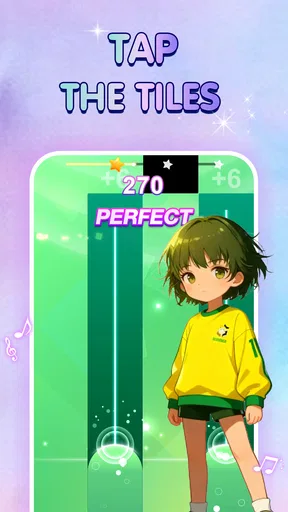
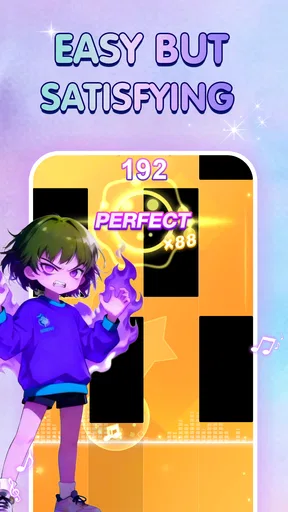
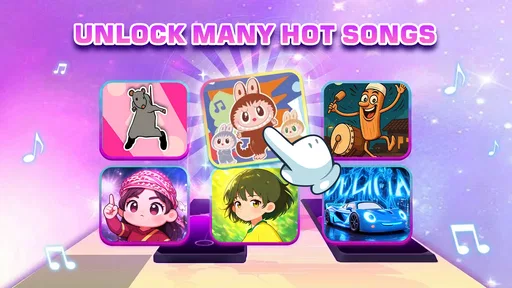
The main objective is simple: tap the tiles as they appear on your screen in sync with the music. Sounds easy, right? Well, it starts off that way, but as you progress, the tempo picks up and the challenges grow. The game features a wide variety of songs, ranging from classical to pop hits, catering to every musical taste.
I found myself completely immersed, fingers moving furiously as I tried to keep up with the rhythm. The satisfaction of perfectly hitting a challenging section is unmatched, and each level completed gives a sense of accomplishment.
Features That Keep You Hooked
One of the standout features of this app is its song catalog. New tracks are added regularly, keeping the content fresh and engaging. I particularly enjoyed the weekly challenges, which offer a chance to compete with friends and other players worldwide.
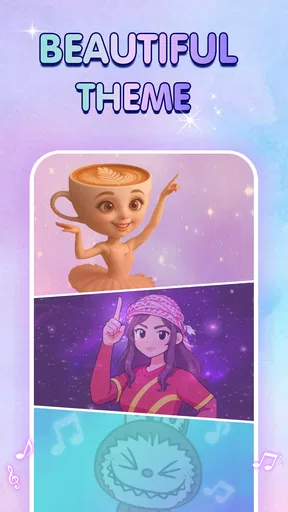
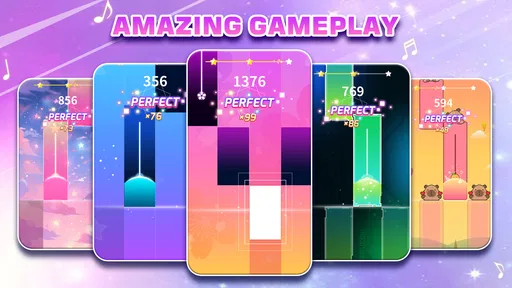
But wait, there’s more! The app includes a customizable interface, allowing you to tweak the appearance to suit your style. Whether you prefer a dark theme for those late-night sessions or a vibrant look to match your energy, Piano Pop: Tap Tiles has you covered.
Why You’ll Love It
What really sets this game apart is its ability to cater to all skill levels. Whether you’re a casual player looking to kill time or a hardcore gamer aiming for the top of the leaderboard, there’s something here for everyone. The controls are intuitive, making it accessible even for those new to rhythm games.
The game also boasts a social element, encouraging you to connect with friends and share your progress. I found myself in friendly competitions, trying to outdo each other’s high scores, which added a delightful layer to the experience.
Room for Improvement
While Piano Pop: Tap Tiles is an incredible game, there’s always room for growth. Occasionally, I noticed minor lag during transitions between songs, which can be a bit jarring. However, these instances were few and far between.
Another aspect that could enhance the game is the inclusion of more genre-specific playlists. While the current selection is vast, fans of niche genres might feel left wanting. Still, the developers do a fantastic job of regularly updating the library, so fingers crossed for more additions in the future!
Final Thoughts
All in all, Piano Pop: Tap Tiles is a fantastic game that offers endless hours of entertainment. Whether you’re a music enthusiast or just looking for something to unwind with, this app is a must-try. Its engaging gameplay, diverse song selection, and user-friendly interface make it a standout choice in the world of mobile games.
So, go ahead and give it a whirl! Let your fingers dance across the screen, and see if you can master the art of tapping those tiles. Trust me, once you start, it’s hard to put down. Happy tapping!
Pros
- Intuitive interface makes learning easy.
- Wide variety of song choices.
- Engaging gameplay with increasing difficulty.
- Offline mode available for practice.
- Regular updates with new songs.
Cons
- Ads can be intrusive during gameplay.
- Limited customization options for tiles.
- Requires internet for some features.
- In-app purchases can be pricey.
- Some songs locked behind paywall.
FAQs for Piano Pop:Tap Tiles
What is the main objective of Piano Pop: Tap Tiles?
Piano Pop: Tap Tiles is a rhythm-based game where players must tap on the correct tiles as they scroll down the screen in sync with the music. The aim is to hit the tiles accurately and maintain a streak to achieve high scores. It’s designed to challenge your timing and reflexes while enjoying popular tunes.
Is Piano Pop: Tap Tiles free to download and play?
Yes, Piano Pop: Tap Tiles is free to download and play. However, it offers in-app purchases for additional features, such as unlocking premium songs or removing ads. These purchases enhance the gameplay experience but are not necessary to enjoy the core features of the game.
What types of music tracks are available in Piano Pop: Tap Tiles?
The game features a wide variety of music tracks, ranging from classical pieces to contemporary pop hits. It regularly updates its library, adding new songs to keep the experience fresh and engaging. Players can choose tracks based on their preferences, making it suitable for all music lovers.
Can I play Piano Pop: Tap Tiles offline?
Piano Pop: Tap Tiles can be played offline, allowing you to enjoy the game without an internet connection. However, some features, such as downloading new songs or accessing certain updates, require an internet connection. Playing online also offers the benefit of competitive leaderboards.
Are there any accessibility features in Piano Pop: Tap Tiles?
Yes, Piano Pop: Tap Tiles includes various accessibility options to accommodate different player needs. These may include adjustable difficulty settings, visual and auditory cues, and customizable interface options to enhance the gaming experience for players with different abilities.


